

Most beginners assume getting products into Amazon FBA is complicated. It doesn't have to be — but only if you follow the right steps. Skip one, and your inventory gets delayed, rejected, or hit with unexpected fees before a single customer ever sees it.
This guide walks you through every stage of the process: prepping your products, creating a shipping plan in Seller Central, packing boxes to Amazon's exact specs, printing the right labels, and choosing the carrier that saves you the most money. No guesswork, no missing steps.
By the end, you'll have a repeatable system you can use for every shipment — whether it's your first box or your fiftieth.
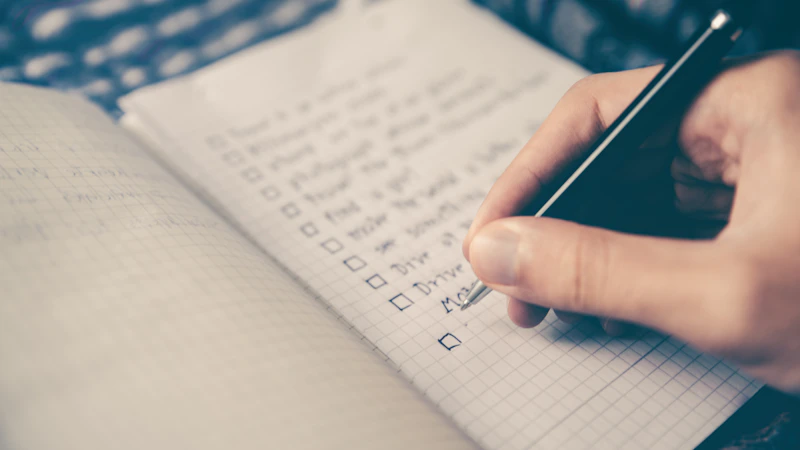
Free Amazon FBA Starter Checklist
Download our step-by-step checklist and launch your first product faster.
Download Free Guide →Step 1: Prepare Your Products Before Shipping
Before you even open Seller Central, your products need to be retail-ready. Amazon has strict prep requirements, and skipping them leads to fees, delays, or lost inventory.
Here's what beginners need to check:
- FNSKU label: Every unit must have an Amazon barcode (FNSKU) that covers the manufacturer's UPC.
- Polybags: Items with exposed fabric, soft goods, or small parts must be poly-bagged with a suffocation warning if the bag opening is 5 inches or larger.
- Bubble wrap: Fragile items (glass, ceramics, electronics) need bubble wrap protection.
- Sets: Multi-unit listings must be labeled "Sold as Set" or "Do Not Separate."
- Expiration dates: Required on consumables, printed in MM-DD-YYYY or MM-YYYY format.
Inspect every unit before packing. Damaged or dirty products will get returned at your expense or destroyed if Amazon flags them as unsellable. If you don't want to handle prep yourself, use a third-party prep center near your supplier or import location. They charge around $1–$2 per unit and ensure compliance, which is often cheaper than fixing problems later.
Step 2: Create Your Shipping Plan in Seller Central
Once your inventory is prepped, log in to Seller Central and build your shipping plan. This is the digital blueprint Amazon uses to receive your goods.
Follow these steps:
- Go to Inventory → Manage FBA Inventory.
- Select the products you want to ship and click Send/Replenish Inventory.
- Choose Create new shipping plan and enter your Ship from address (your home, supplier, or prep center).
- Select packing type: Individual products (mixed SKUs in one box) or Case-packed products (same SKU, same quantity per box).
- Enter the quantity of each unit.
- Confirm any prep and labeling services. If you let Amazon label, they charge per unit.
After confirming, Amazon assigns one or more fulfillment centers. You may have to split your shipment across multiple warehouses. To avoid this, you can enroll in Inventory Placement Service for a per-unit fee, which lets you ship everything to one location. For most beginners, accepting Amazon's split is cheaper.
Save your shipping plan ID. You'll need it for tracking and any support tickets later.

Step 3: Pack Your Boxes the Right Way
Amazon has specific box requirements, and ignoring them can trigger non-compliance fees or rejected shipments.
Key rules to follow:
- Box weight: No single box over 50 lbs unless it contains one oversized item. If it does, mark it "Team Lift" (over 50 lbs) or "Mech Lift" (over 100 lbs).
- Box dimensions: No side longer than 25 inches unless the item itself is larger.
- Inside protection: Use kraft paper, air pillows, or bubble wrap. Never use loose styrofoam peanuts, shredded paper, or crinkle wrap.
- Sealing: Use heavy-duty packing tape (H-tape pattern) to seal seams.
- Shake test: Close the box and shake gently. If you hear movement, add more padding.
Group products logically. If a fulfillment center is receiving 3 different SKUs, you can mix them in one box (Individual) or use one box per SKU (Case-packed). Case-packed shipments are processed faster because Amazon scans one barcode for the whole box.
Weigh and measure each finished box. You'll enter these numbers in the next step, and inaccurate measurements can lead to overage fees.

Start Your Amazon Business with Bubba Academy
Join thousands of students learning to build real Amazon FBA businesses.
Join Bubba Academy →Step 4: Print Shipping and Box Labels
Every box needs two labels: a carrier shipping label and an Amazon FBA box ID label. Missing either one will cause your shipment to be rejected at the dock.
In Seller Central:
- Enter the number of boxes and weight/dimensions for each.
- Choose your shipping carrier (covered in the next section).
- Click Print box labels. Amazon generates a unique label for each box.
- Print on adhesive labels (4x6 thermal labels work best) or paper attached with clear tape.
Place labels on a flat surface of the box, away from seams. Do not cover the label with tape, as some scanners can't read through reflective tape.
If you're shipping multiple boxes via UPS or another partnered carrier, you'll also print tracking labels at this step. Stick both the FBA box ID label and the carrier label on the same side of each box, side by side.
Double-check that the box numbers match (Box 1 of 4, Box 2 of 4, etc.) so the warehouse can verify your shipment is complete.

Step 5: Choose a Carrier and Ship the Boxes
You have two main options for Amazon FBA shipping to Amazon warehouse: Amazon Partnered Carriers or your own freight.
Amazon Partnered Carriers (UPS or AGL) - Discounted rates negotiated by Amazon - Labels generated automatically in Seller Central - Best for small parcel (under 150 lbs total) and LTL pallet shipments - Easiest option for beginners
Non-partnered carriers - Use FedEx, USPS, or your own freight forwarder - You manage tracking and provide shipment details manually - Usually only worth it if you have a personal carrier discount
For most new sellers, the partnered UPS rate is the cheapest and simplest path. Schedule a pickup or drop boxes off at any UPS location.
After dropping off:
- Mark the shipment as Shipped in Seller Central.
- Track each box using the tracking number provided.
- Wait for Amazon to receive and check in your inventory (usually 3–7 business days after delivery).
Once units appear as "Received" and "Available," your products are live and eligible for Prime.
Conclusion
Shipping to Amazon FBA isn't complicated once you break it into stages: prep your products, create a shipping plan, pack correctly, label every box, and choose the right carrier. Each step has clear rules, and following them prevents the most common beginner mistakes that lead to fees and delays.
Your next step: log in to Seller Central and create a test shipping plan with just one or two products. Going through the process once with a small batch is the fastest way to learn the system before scaling up to larger shipments.

Ready to start your Amazon journey the right way?
Join Bubba Academy and get step-by-step guidance, proven strategies, and real mentorship to build your Amazon business.
Start Your Amazon Business Today →Frequently Asked Questions
How long does Amazon FBA shipping to Amazon warehouse usually take?
Most shipments take 1–3 weeks to be received and checked into Amazon's inventory after delivery. Transit time depends on your carrier (UPS, FedEx, or freight), while Amazon's processing time at the warehouse typically adds 3–7 business days. During peak seasons like Q4, expect longer delays.
Do I need to use Amazon's partnered carriers when shipping to FBA?
No, you don't have to use Amazon's partnered carriers, but they often offer discounted rates for small parcel and LTL shipments. You can use any carrier you prefer, as long as your shipment follows Amazon's labeling, packaging, and routing requirements. Partnered carriers also automate tracking inside Seller Central.
What labels do I need for Amazon FBA shipping to Amazon warehouse?
You need two main labels: the FNSKU label on each individual product unit and the shipment label (with the FBA shipment ID) on the outside of each box. If shipping pallets, you'll also need pallet labels on all four sides. Missing or incorrect labels can cause delays or extra prep fees.
Can I ship products directly from my supplier to Amazon FBA?
Yes, you can ship directly from your supplier (including from China) to Amazon's FBA warehouse, but your supplier must follow all Amazon prep, labeling, and packaging rules. Many sellers use a freight forwarder or 3PL to inspect and prep goods before sending them to Amazon. Skipping inspection is risky because errors lead to rejected shipments.
How much does it cost to ship products to an Amazon FBA warehouse?
Costs vary based on weight, size, distance, and shipping method, but small parcel shipments usually run $0.30–$0.70 per pound, while LTL freight averages $0.40–$1.00 per pound. International shipments via sea freight can cost $1–$3 per kilogram including duties. Always compare partnered carrier rates against outside quotes to save money.