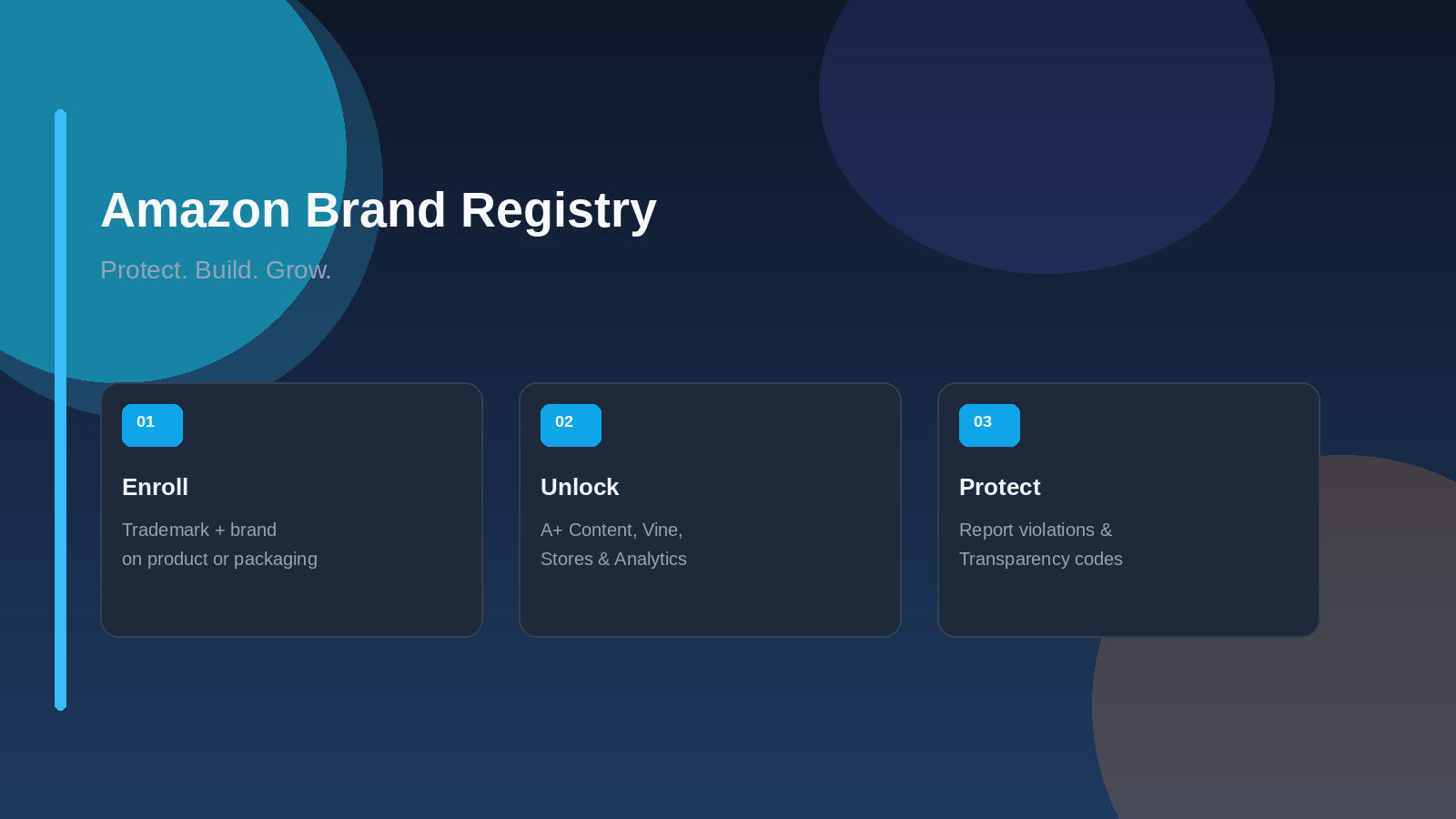

You can sell on Amazon without a brand. Plenty of beginners do. But if your long-term plan is private label — your own name on the packaging, your own listing content, your own review strategy — you eventually hit a wall that only Brand Registry unlocks.
Learning how Amazon Brand Registry works is one of the highest-leverage moves an Amazon seller can make after launching a private-label product. The program is free. It requires a trademark. And once you are enrolled, you gain access to growth tools and protection features that unregistered sellers simply cannot use.
In this guide, you'll learn what Brand Registry is, who qualifies, how to enroll without getting rejected, which tools matter most after approval, and the mistakes that slow beginners down. By the end, you'll know exactly what to prepare before you apply.

📦
Free Download: The Amazon FBA Starter Checklist
Before you source your first product, make sure you have the fundamentals locked in. This free checklist is used by hundreds of Bubba Academy students to launch faster and avoid costly rookie mistakes.
- ✓ Step-by-step product selection framework
- ✓ Supplier sourcing and negotiation checklist
- ✓ First FBA shipment prep guide
Why Amazon Brand Registry Matters
Amazon describes Brand Registry as a free program that helps you protect and grow your brand, even if you do not sell in the Amazon store. For private-label sellers, it is the gatekeeper for almost every brand-building feature that matters after launch.
Without Brand Registry, you can still create listings, run Sponsored Products ads, and fulfill with FBA. What you cannot do — or cannot do well — is control your brand experience. You miss A+ Content, Brand Stores, Brand Analytics, Vine enrollment for branded ASINs, and most of Amazon's IP protection tools.
Amazon's own Brand Registry page also lists early incentives for enrolled brands, including 10% back on the first $50,000 in branded sales, then 5% back through the first year until you reach $1,000,000, plus a $200 credit for Amazon Vine. Those offers can change, so always confirm them on the current Amazon Brand Registry page.
For Amazon sellers building a private-label catalog, that foundation shows up in daily work: better detail pages, cleaner brand search results, faster review launches, and a real process for reporting hijackers or counterfeit listings.
The practical takeaway for beginners: Brand Registry is not a vanity badge. It is the foundation for listing quality, review launch, advertising options, and brand defense.
Brand Registry Requirements (What You Must Have)
Amazon's enrollment rules are clear. Most rejections happen because sellers skip one of these details.
You Need a Trademark
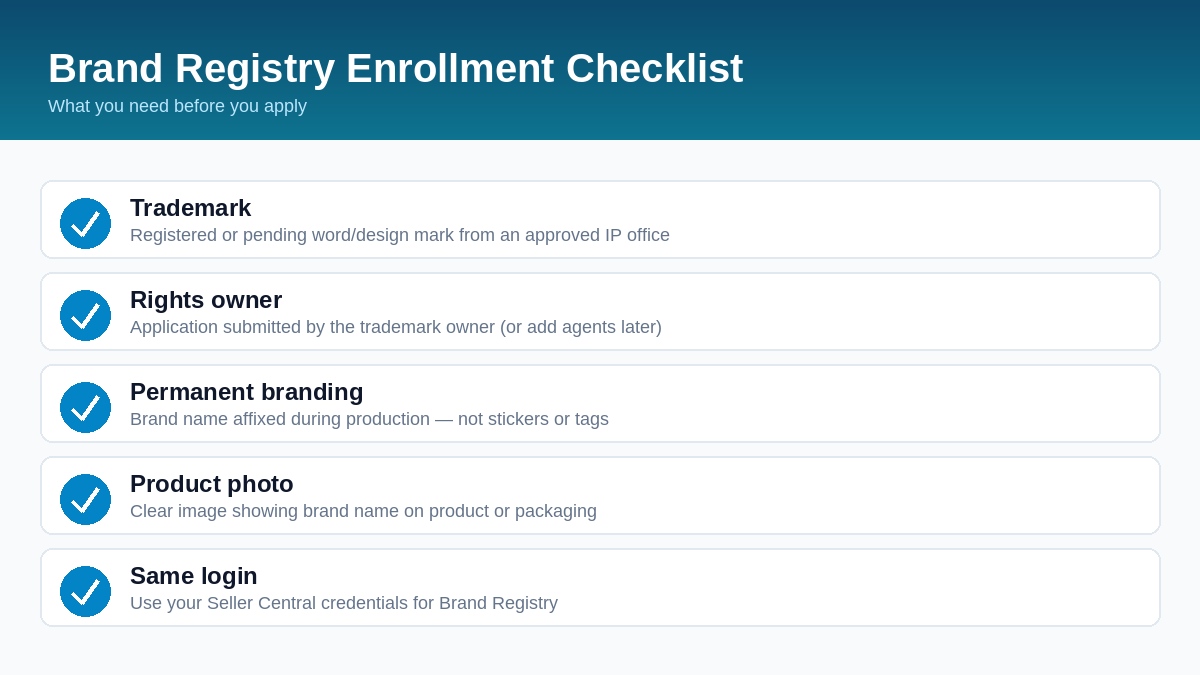
According to Amazon's Brand Registry requirements guide, your brand must have an active registered trademark or a pending trademark registration. The mark must be a text-based mark (word mark) or an image-based mark with words, letters, or numbers (design mark) from an approved government intellectual property office.
You also need the trademark registration or application number exactly as the IP office issued it. If you do not have a trademark yet, Amazon's IP Accelerator can connect you with vetted legal providers so you can file and enroll faster.
The Trademark Owner Must Apply
Amazon is explicit: Brand Registry applications must be submitted by the trademark owner. If you are an authorized agent, the owner enrolls first, then adds you as a Brand Registry user with the right role.
Your Brand Name Must Be Permanently Affixed
This is where many first-time applicants fail. Amazon requires a logo that includes your brand name permanently affixed to your products or packaging. During enrollment, you upload a standalone logo image and an image that shows the brand on the product or packaging.
Amazon's guide says permanently affixed names are typically applied during production — printing, sewing, laser etching, or engraving. Stickers, labels, stamps, and tags do not count, because they can be added or removed after production. Stock images, digitally altered images, and computer-generated mockups are also rejected.
Match Every Detail Exactly
Your brand name on the application must match the trademark text exactly, including spaces and symbols. Capitalization differences are accepted. The trademark type you select must match the trademark record. If you use a design mark, upload the exact image from the trademark record — not your full certificate.
How to Enroll in Amazon Brand Registry Step by Step
Amazon's enrollment walkthrough breaks the process into five practical steps. Use the same login you use for Seller Central or Vendor Central so your selling account and Brand Registry account stay linked.
- Create a Brand Registry account. Sign in with your Seller Central credentials, then choose Enroll a new brand from the Brand Registry homepage.
- Provide brand information. Enter trademark details, brand name, logo, and product categories. Upload supporting documents if asked, such as your trademark registration certificate.
- Submit product photos. Upload an image of your product or packaging that clearly shows your permanently affixed brand name. The name on the product must match the trademark.
- Verify your identity. Amazon may ask for manufacturing or distribution information to confirm you are the rights owner.
- Submit and complete verification. After you submit, Amazon reaches out to a public contact associated with your trademark registration. That contact receives a verification code. You send the code back to Amazon to finish enrollment.
Amazon notes that approval timing varies. If you already have a registered trademark, enrollment can still take several weeks or longer. Pending trademarks usually take more time because the IP office process is unfinished. Plan your catalog launch around that timeline instead of waiting until inventory arrives.
If you still need a trademark, start that process first. Amazon's IP Accelerator connects sellers with vetted legal providers so you can file and move toward Brand Registry without guessing which forms to use. Keep your packaging artwork editable until the brand name on the trademark and on the product match exactly.

📈
Want a Launch Plan That Includes Brand Registry?
Trademark timing, listing assets, and Brand Registry enrollment should be planned together — not scrambled after inventory arrives. Bubba Academy's step-by-step program shows you how to build a private-label launch that unlocks brand tools without expensive delays.
- → A clear product launch roadmap from listing to brand tools
- → Stay inside Amazon's rules while you grow
- → Learn from sellers who have launched real FBA products
Growth Tools You Unlock After Enrollment
Once your brand is approved, Brand Registry opens a suite of features that help shoppers understand your products and choose your brand over generic alternatives.
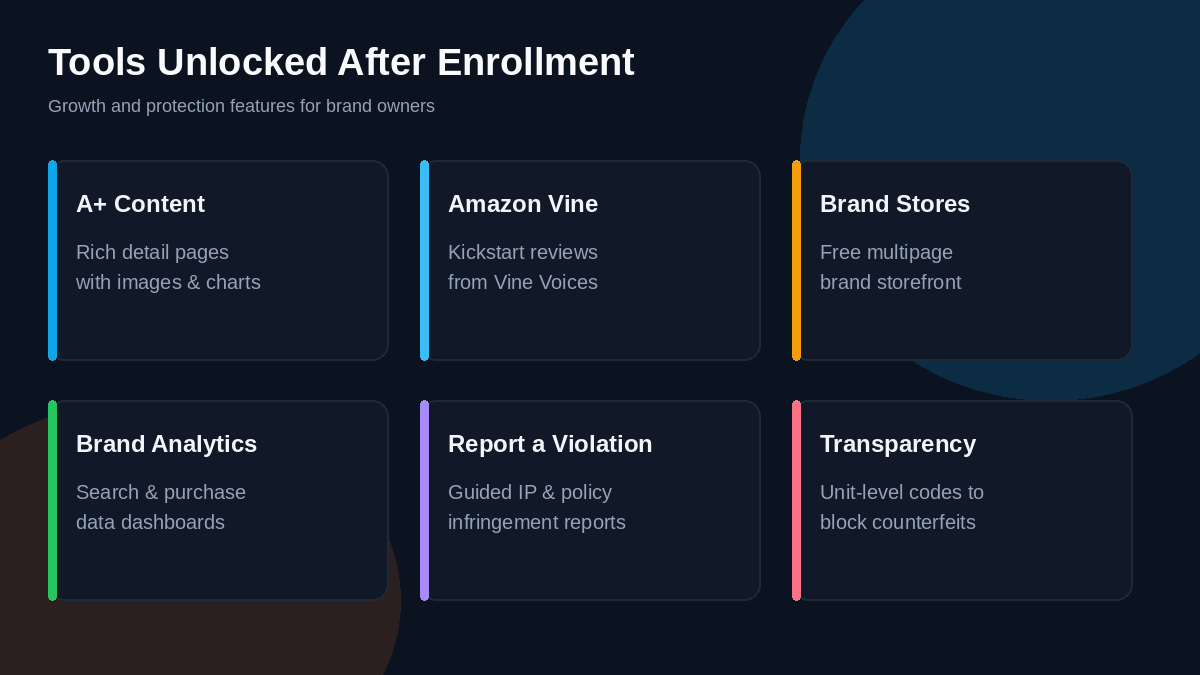
A+ Content
Amazon's A+ Content page says Basic A+ Content can increase sales by up to 8%, and well-implemented Premium A+ Content can increase sales by up to 20%. A+ Content is free for eligible sellers with a Professional selling account and a Brand Representative or Reseller role on an enrolled brand.
You use A+ Content Manager under Advertising in Seller Central to add modules with images, text, comparison charts, and — for Premium — video, hotspots, carousels, and Q&A. You can only apply A+ Content to brand-owned ASINs.
Amazon Vine and Customer Reviews
Brand Registry is the path most private-label sellers use to enroll products in Amazon Vine and access the Customer Reviews tool. Vine helps you kickstart honest reviews from Vine Voices. The Customer Reviews tool helps brand owners track feedback and contact customers on low ratings without asking them to change a review.
Brand Stores and Brand Analytics
Amazon Stores lets you build a free multipage brand storefront with no coding. Brand Analytics gives enrolled Brand Representatives dashboards for search query performance, top search terms, repeat purchase behavior, market basket analysis, and more. That data helps you improve listings, ads, and product decisions with real Amazon search and purchase behavior.
Amazon also notes that knowing what content drives conversion through Manage Your Experiments, and implementing those changes, can increase sales by up to 25%.
Protection Tools That Defend Your Brand
Growth tools help you convert. Protection tools help you keep the brand you built.
- Automated protections: When you share brand, product, and IP data, Amazon uses machine learning to help stop bad listings before they publish.
- Report a Violation: One guided flow for reporting IP infringement, store policy violations, and regulatory compliance concerns, with a Submission History tab to track status.
- Neutral patent evaluation: For U.S. utility patent disputes, Amazon can use neutral third-party evaluators whose decision is enforced in the U.S. store.
- Transparency: Amazon's serialization program assigns unique codes to units so counterfeit or inaccurate items can be blocked. Amazon reports that more than 2.7 billion product units have been verified as genuine through Transparency, with 90,000+ brands enrolled, according to the Transparency program page.
Transparency has no enrollment or subscription fee. You pay per code when you order Amazon-issued codes. Amazon lists pricing at $0.05 for the first 1,000,000 codes, $0.03 from 1,000,001 to 10,000,000, and $0.01 above 10,000,001, with annual volume resetting on your account anniversary. Protections are available across Transparency-supported stores once products are enrolled and pass operational review.
You do not need every protection tool on day one. Most new private-label sellers start with Report a Violation and accurate Brand Registry data, then add Transparency when counterfeit risk or diversion becomes a real issue.
Also keep your Brand Registry data current. When you add trademarks for other countries, update product categories, or change ownership contacts, those updates help Amazon's automated protections stay accurate as you expand.
Common Brand Registry Mistakes Beginners Make
Most enrollment delays are avoidable. Watch for these traps:
- Waiting until inventory is in FBA. File your trademark and prepare Brand Registry documents while your supplier is still producing. Approval can take weeks.
- Using stickers instead of permanent branding. If the brand name can peel off, Amazon will reject the photo evidence.
- Mismatching the brand name and trademark text. Extra spaces, missing hyphens, or a different spelling will block approval.
- Applying as an agent without the rights owner. Only the trademark owner can enroll the brand.
- Uploading mockups or stock photos. Amazon wants real product or packaging images with the brand permanently affixed.
- Enrolling and then doing nothing. After approval, create A+ Content, set up your Brand Store, and check Vine eligibility. Brand Registry only helps if you use the tools it unlocks.
A simple fix is to treat Brand Registry as part of your product development checklist, right next to packaging design and GTIN setup. If your packaging artwork is still open, make permanent brand placement a requirement before mass production.
Conclusion
Amazon Brand Registry is free, but it is not optional if you want a real private-label brand. It unlocks the content, review, analytics, and protection tools that separate a disposable listing from a brand that can grow.
The key takeaways:
- You need a registered or pending trademark from an approved IP office
- The trademark owner must enroll, and the brand name must be permanently affixed
- After approval, prioritize A+ Content, Vine eligibility, Brand Analytics, and Report a Violation
- Start Transparency when counterfeit or diversion risk justifies unit-level codes
- Plan trademark and Brand Registry timing before your first large FBA shipment
Your next step: Confirm whether you already have a registered or pending trademark that matches your packaging brand name. If you do, open Brand Registry with your Seller Central login and start the enrollment checklist today. If you do not, begin the trademark process before you reorder inventory.
🚀
Join Bubba Academy — Build Your Amazon Business the Right Way
You've learned the concepts. Now build the business. Bubba Academy gives you a complete step-by-step roadmap — from finding your first product to your first profitable sale on Amazon.
- ✓ Complete FBA launch roadmap from zero to first sale
- ✓ Private community of active Amazon sellers
- ✓ Live coaching and expert support
Frequently Asked Questions
Is Amazon Brand Registry free?
Yes. Amazon Brand Registry enrollment is free. Some tools you unlock later, such as Amazon Vine enrollment fees or Transparency codes, can have their own costs. Always check the current offer and pricing pages in Seller Central or Brand Registry.
Do I need a trademark to enroll in Brand Registry?
Yes. You need an active registered trademark or a pending trademark registration from an approved government IP office. The mark must be a word mark or a design mark with words, letters, or numbers. Amazon's IP Accelerator can help if you still need to file.
Can I sell on Amazon without Brand Registry?
Yes. You can open a seller account and sell without Brand Registry. However, you will not unlock brand tools like A+ Content, Brand Stores, Brand Analytics, and most brand-protection features that private-label sellers rely on to grow and defend their brands.
How long does Amazon Brand Registry approval take?
Amazon says approval times vary. If you already have a registered trademark, Brand Registry approval can still take several weeks or longer. Pending trademarks usually take more time because the IP office process is unfinished. Start early, before your inventory arrives.
What tools do I unlock with Amazon Brand Registry?
Key tools include A+ Content, Amazon Vine eligibility for branded products, Brand Stores, Brand Analytics, Manage Your Experiments, Report a Violation, and programs like Transparency. Amazon reports Basic A+ Content can increase sales by up to 8% and well-implemented Premium A+ Content by up to 20%.